
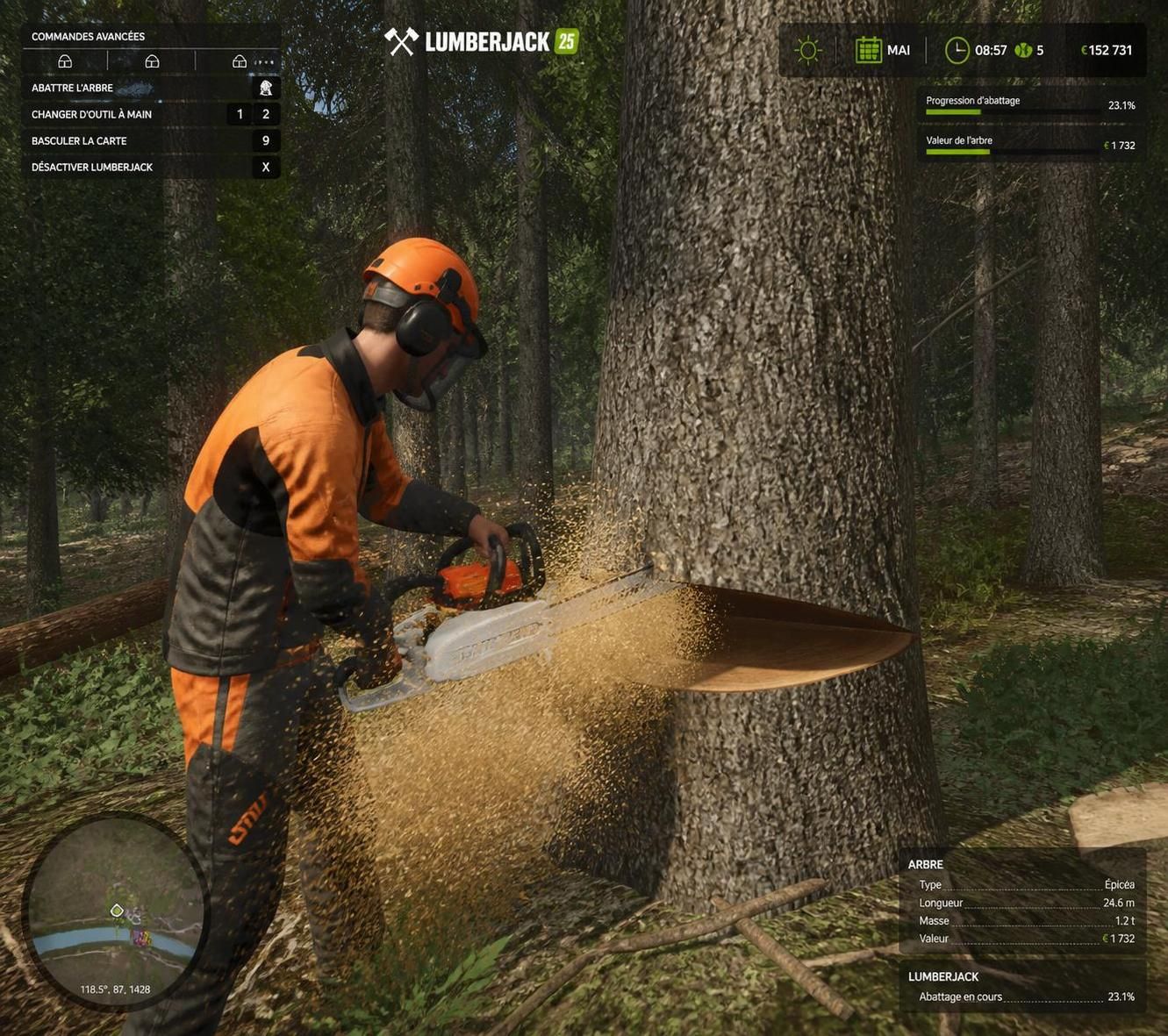
In the vast and captivating world of Farming Simulator 25, the Lumberjack mod presents itself as a breath of fresh air for forestry enthusiasts. This extension notably improves the quality of life around tree felling, making these operations more intuitive while retaining a realism appreciated by players. The new features introduced are mainly aimed at fans of games where forest management reigns, with functions that facilitate chainsaw handling and offer new options to manage small pieces of wood and stumps.
This mod notably offers the possibility to grind tree stumps, an essential detail that provides more fluidity and fewer complications during land clearing. Even more striking, the “super force” mode – accessible via simple keyboard shortcuts – allows you to completely fell a tree and customize the chainsaw’s power. These improvements fit within the desire to enrich the experience without distorting the basic mechanism, thus keeping the value of wood sales intact.
Lumberjack mod FS25: a realistic boost for tree felling in Farming Simulator 25
For players who dedicate a significant part of their sessions to forestry work, this mod reveals a series of small advances that change the game. The chainsaw becomes a more manageable and powerful tool, now capable not only of cutting trees quickly but also handling fine branches and other debris thanks to doubled speed and range. This efficiency gain favors smoother gaming sessions where progress no longer hits small technical difficulties.
A particularly useful feature is the permanent chainsaw targeting, a visual marker that precisely guides where to strike. This avoids much fumbling, providing better control over the task. With the ability to cut trees in unpurchasable areas, like near the dealer, players can expand their operations without usual geographical constraints. It’s a welcome step toward a more flexible and immersive simulation.
How to activate and use the key functions of the Lumberjack mod in FS25
The mod’s use is designed to be accessible and intuitive, with simple keyboard shortcuts that naturally integrate into the gameplay. Holding the ALT key activates a temporary force, while a double tap on ALT toggles the “super force” mode on or off. In the latter, the chainsaw can even completely eliminate trees and grind stumps in a few seconds.
These options customize the experience, leaving the player free to choose the power according to the context, for forestry work as realistic as it is engaging. This adaptability is reinforced by adjustments on cutting speed, range, as well as the weight and shooting range of objects when super force is active.
The concrete benefits brought by the mod for your Farming Simulator sessions
- Increased ease in removing fine branches and small debris, improving the speed of clearing felled trees.
- Extension of the felling area to lands usually inaccessible, strengthening strategic options in the game.
- Clear display of object weight in the F1 menu, easing the management of harvested resources.
- Multifunctional chainsaw with the ability to grind stumps in 3 seconds, making the land ready for new plantations or constructions.
- Adjustment of chainsaw parameters, from weight to range, depending on the situation and current energy.
| Feature | Description | Impact on gameplay |
|---|---|---|
| Super force (double press ALT) | Activation of increased power for complete felling and grinding of stumps | Allows fast and efficient work, ideal for clearing terrains in record time |
| Double cutting speed | Cut trees and branches twice as fast | Reduces work time and improves session fluidity |
| Double range | Increased chainsaw usage range | Allows working at a distance and eases access to difficult areas |
| Cut trees in unpurchasable zones | Ability to fell in restricted areas such as near the dealer | Expands exploitation and forest management possibilities |
| Display object weight | Display in the F1 menu of the selected objects’ weight | Helps optimize wood transport and sales |
Explore new forestry horizons with the Lumberjack mod
This extension is not just a technical improvement; it fosters a more immersive and creative gaming experience where every felled tree becomes a better-controlled progression step. Imagine managing a forestry operation where the simplicity and power of your tools allow you to optimize your tasks and better enjoy your Farming Simulator sessions.
You can consider new strategies, especially in hard-to-reach areas, with this mod which also offers the advantage of a clear interface on the management of harvested wood. As in real life, where every step requires patience and precision, the Lumberjack mod helps rediscover that pleasure in simulation, while easing the more laborious aspects.
Practical tips to get the most out of the mod in Farming Simulator 25
A little tip I often use to make forestry sessions more efficient: alternate between temporary force by holding ALT and super force mode depending on the difficulty of the trees to fell. Don’t hesitate to adjust cutting speed and range to tailor your chainsaw to the speed and scale of the work to be done.
You can also fully take advantage of the possibility to cut in restricted zones to optimize your land or prepare spaces for new crops. This mod suits all profiles very well, beginners and experts alike, as it provides concrete keys to simplify sometimes complex tasks.
Does the Lumberjack mod work in multiplayer?
Super force is disabled in multiplayer to avoid imbalances, but other features remain accessible.
Can you fell trees in all areas of the map?
Yes, thanks to the mod, it is possible to cut trees even in unpurchasable areas such as near the dealer.
How do you activate super force mode?
Simply press the ALT key twice quickly to activate or deactivate this powerful mode.
Does the mod affect the game’s realism?
This mod maintains a good balance between ease of use and realism, ensuring payment when selling wood.
Can stumps be ground with the chainsaw?
Yes, by grinding the stump for about 3 seconds, it can be completely removed.


