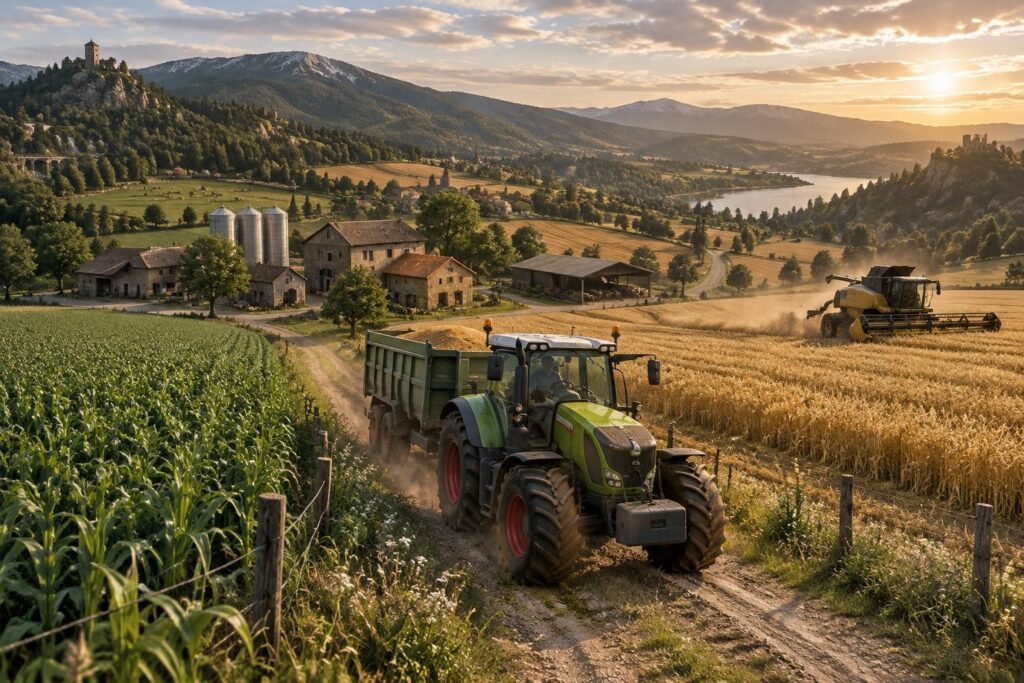
Choosing a map in Farming Simulator 25 means choosing the setting for an entire farming adventure: a peaceful valley to take your time, large fields for mechanizing harvests, or a hillier terrain that invites you to rethink every route. The best FS25 maps are therefore not necessarily the most spectacular ones: they are those that match your way of playing, your equipment, and your platform.
On PS5, the easiest way is to explore the maps available in the in-game ModHub, checking that they are compatible with consoles. On PC, the choice can be wider, but installations outside of ModHub require more caution. A small fictional farm, Lina’s, gives an idea: for her first seasons, she favors accessible fields and short routes; once she has found her bearings, she turns to a larger map, with more space to develop her livestock. To know where to find FS25 maps and how to avoid unpleasant surprises, a few checks are enough to turn the search into real gaming pleasure.
In short: choosing a Farming Simulator 25 map suited to your game
- On PS5, first check the game’s ModHub and verify each map’s console compatibility.
- On PC, the ModHub remains a convenient starting point; external sites offer other possibilities, with increased vigilance regarding files.
- Before downloading an FS25 map, look at its size, crops, productions, and any dependencies.
- For multiplayer games, make sure all players have the same map and required mods.
- An enjoyable map is primarily one whose terrain, distances, and difficulty level match your pace.
Where to find FS25 maps on PS5 and PC?
The ModHub integrated into Farming Simulator 25 is the first place to check. It allows browsing content available from within the game and identifying maps compatible with the platform used; on consoles, this filter is essential because not all creations are accessible on PS5.
On PC, the ModHub is also a simple option to install mods through the game interface. Specialized sites, like KingMods, also offer community creations: always check the game version, the file source, and comments before installing anything. To better understand the world of mods, this guide on the mod experience in FS25 provides useful additional information.
A simple tip: write down the exact name of the map and any required mods before starting a game. This avoids discovering when loading the save that a building, crop, or equipment is missing.
FS25 maps for PS5: checking console compatibility
FS25 maps for PS5 must be offered as compatible with consoles in the ModHub. This check also applies to associated mods: a map may appear in a search but depend on elements that the console does not support.
For a game with friends or family, also verify that everyone can access the same map. A shared farm runs more smoothly when all players have the same files and can join the session without multiple adjustments.
FS25 maps for PC: exploring without neglecting security
FS25 maps for PC can be searched on the ModHub or among recognized modding communities. Before downloading an external file, prioritize a page clearly dedicated to FS25, check update information, and avoid ambiguous download links.
A new map can also change how fields, routes, and sales are organized. To prepare a strategy-oriented game, you can browse this guide on strategy and map choices in FS25.
On console as on PC, a few minutes of upfront checking save many detours once the season starts.
Which Farming Simulator 25 maps to choose according to your play style?
Farming Simulator 25 maps differ in terrain, field sizes, roads, and activities. The base game maps, such as Riverbend Springs, Hutan Pantai, and Zielonka, already offer different atmospheres: it’s better to explore and test movements before choosing a save for the long term.
To start, a map with accessible fields and simple routes helps to learn the controls without feeling overwhelmed. Players who like to plan large harvests may prefer larger fields; those who enjoy challenges will find more relief or less convenient spaces to exploit.
| Map type | For which play style? | To check before starting |
|---|---|---|
| Small farm | Starting calmly or playing with family | Access to buildings, field sizes, distances |
| Large fields | Planning mechanized harvests and developing a large farm | Road width and space for machines |
| Marked relief | Varying routes and taking on a driving challenge | Slopes, narrow paths, and field access |
| Map with productions | Building a production chain or diversifying income | Buildings present, available crops, and required mods |
Imagine Lina in front of a narrow field bordered by hedges: a large tractor would be less practical than a compact model here. This small detail illustrates well the importance of choosing a map based on your equipment and desires, rather than relying solely on size.
French FS25 maps and realistic farming maps
A French FS25 map can attract players with familiar landscapes: bocage, country roads, villages, or fields bordered by hedges. Community maps sometimes aim to recreate a specific region, but their features vary by creator and updates; so read the description to know the crops, productions, and installations included.
Realistic farming maps are not just about credible scenery. Traffic between fields, building layout, and available space for maneuvers contribute as much to immersion as a successful landscape. To check if a creation matches your expectations, watch gameplay images or a video presentation before adding it to your game.
The novelty of environments and activities in the game can also help refine your criteria; this overview of Farming Simulator 25’s new features provides reference points to compare offered experiences.
A good map makes you want to stop to watch the scenery, but also to get back behind the wheel with a clear objective.
Downloading an FS25 map: useful checks
Before downloading an FS25 map, take the time to read its profile. The game version, compatibility with PS5 or PC, file size, offered crops, and required mods are all clues that help avoid an unsuitable installation.
Here is a quick check to do before starting a new save:
- Confirm that the map is well designed for Farming Simulator 25 and compatible with your platform.
- Identify mods or additional content necessary for its operation.
- Read reviews and recent updates, especially if a problem is reported.
- Create a new game to test the map before investing many hours in it.
FS25 map mods can enrich a game, but each addition must remain compatible with other installed elements. On PC, keep a copy of your important saves; on consoles, favor content offered by the ModHub. This small routine leaves more room for the pleasure of building your farm than troubleshooting.
Where to find FS25 maps compatible with PS5?
Check the ModHub from Farming Simulator 25 and verify that the map is indicated as compatible with consoles. Also check any required mods before downloading it.
Can you install an FS25 map downloaded from an external site?
On PC, some maps are offered by modding communities. Only download from a recognized source, check the game version, and read installation instructions. On PS5, favor the integrated ModHub.
How to choose an FS25 map to start?
Opt for a map with accessible fields, simple routes, and buildings easy to reach. A test game lets you check that distances and terrain suit you.
Are FS25 maps available for multiplayer?
Some maps can be used in multiplayer. Participants must have a compatible version and, depending on the map, the same mods required to join the game.


