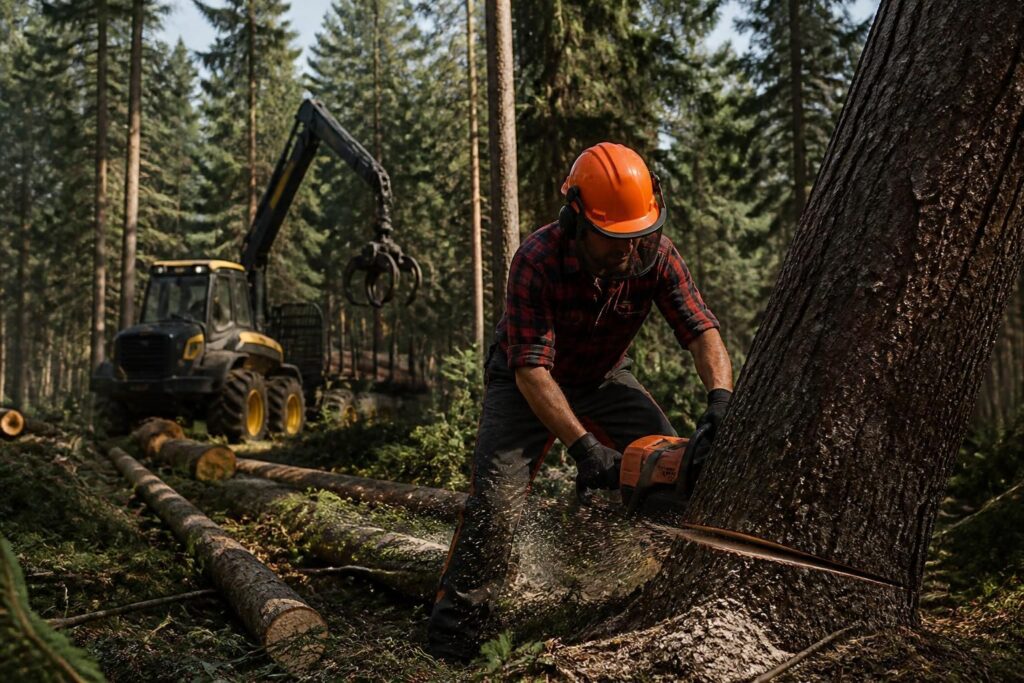
In the rich and captivating world of Farming Simulator 25, forestry management becomes a smoother and more immersive adventure thanks to the Lumberjack mod. Available on PS5, Xbox, and other gaming consoles, this FS25 mod brings a breath of fresh air to agricultural simulation by making chainsaw tree felling both simpler and more realistic. Far from disrupting the natural balance of the video game, it optimizes the essential actions of the lumberjack, easing tedious operations and offering appreciable gameplay comfort for all enthusiasts, whether beginners or experienced. This user guide aims to accompany you step by step in discovering and optimizing this renewed forestry experience, focusing especially on adaptable settings, essential functions, and console-specific features that make Lumberjack a valuable tool in 2026.
Wood explorers will love seeing how this FS25 mod fixes small annoyances, such as stump collection or managing log weight, while retaining the possibility to sell wood, a key element in the game’s economic flow. A mod committed to respecting the simulation, which does not turn the forest into a simple oversized playground, but into a well-organized and accessible worksite. Whether playing on console or PC, the Lumberjack mod stands out as an essential companion to enrich Farming Simulator’s forestry dynamics, making each session both faster and filled with a progression pleasure respectful of virtual landscapes.
Lumberjack mod FS25: new features and functions for PS5, Xbox, and gaming consoles
The Lumberjack mod for FS25 addresses a real need in managing forestry within the video game. It brings several targeted improvements for more ergonomic and less frustrating tree felling, while maintaining a good level of realism. Among its main assets:
- The chainsaw can now grind tree stumps after only a few seconds of action, which significantly speeds up clearing the terrain.
- A “super force” mode accessible via a double press of the ALT key to completely fell trees or move heavy elements more easily.
- A temporary force activatable by holding the ALT key, perfect for precise moments when an extra hand is needed.
- Adjustable cutting speed and chainsaw reach settings to suit your playing style, whether for quick cutting or a more methodical approach.
- Display of object weight directly in the F1 menu to better anticipate handling and transport.
These features are specifically designed to provide an accessible experience on consoles as well as on PC, taking into account the interface specifics of PS5 and Xbox. They fit within a logic of progressive improvement of forestry simulation in FS25, thus avoiding excessive simplification that could distort the pleasure of the mechanics.
A mod that stands out: smoothing tree felling without betraying realism
A frequent anecdote among players is that, even passionate ones, managing small elements such as stumps or fine branches can quickly become a laborious and repetitive moment. Lumberjack mod FS25 changes the game by removing these frictions. For example, the possibility to destroy stumps the same way as trees, after about 3 seconds of grinding, simplifies the post-felling phase, often tedious in classic gameplay.
In real life, what is seen with children is that clearing space of what gets in the way is the first step toward a more welcoming terrain. Here, in this agricultural simulation video game, being able to progress without dirtying the scenery or multiplying back-and-forth trips directly improves the pleasure of forestry management.
How to customize and make the most of the Lumberjack mod settings on consoles
This FS25 mod offers several essential customization options to balance strength, speeds, and efficiency. It is possible to adjust:
- Cutting speed: whether you prefer a fast cut to accelerate sessions or a slower pace for better precision.
- Chainsaw reach, to better reach branches and trunks without constantly repositioning your character.
- Object weight when super force is activated, simplifying log handling during transport.
This fine tuning allows gameplay to evolve according to momentary needs, ideal for alternating between crops and forest without feeling stuck. On consoles, it is important to familiarize oneself with these shortcuts and options, notably:
- Hold the ALT key to activate temporary force.
- Press ALT twice to toggle super force.
A handy tip is to experiment with these options in a calm area before launching large forestry operations, in order to find your balance smoothly.
Compatibility, multiplayer, and console-specific precautions
On consoles, the priority is often stability and ease of use. The Lumberjack mod FS25 was designed and tested to avoid conflicts with other mods or scripts, which is a key point to ensure a smooth, bug-free experience. In multiplayer mode, the mod offers:
- Appropriate permissions to prevent some players from unbalancing the forestry economy with super force.
- Automatic deactivation of super force in multiplayer to guarantee fair play.
Although multiplayer therefore requires a bit more attention, these controls make the mod entirely relevant for group sessions on console or PC. It is also an example of thoughtful mod management in an agricultural simulation where balance remains paramount.
Summary table of key features of the Lumberjack mod FS25
| Function | In-game effect | Concrete advantage |
|---|---|---|
| Temporary force (ALT held) | Helps carry and move wood | Smoother movement without excessive effort |
| Super force (double ALT press) | Complete felling and easy handling of trees and logs | Significant time saving for large operations |
| Stump grinding | Rapid destruction of tree stumps | Clean ground ready for replanting |
| Speed and reach adjustment | Active gameplay adaptation | Personalized comfort according to player style |
| Display object weight (F1 menu) | Real-time information on load | Better anticipation and transport management |
A little tip to integrate this mod into your gaming routine
Choosing the Lumberjack mod means opting for a tool that simplifies without oversimplifying, the perfect balance between ergonomics and plausibility. A game where the forest remains a stimulating playground requires being able to alternate tasks without losing patience or energy in technical steps.
For passionate players, a concrete idea is to plan specific felling sessions by playing with super force when time is limited, then switch back to a more artisanal mode for fine management of trucks and transport. This flexibility allows managing priorities without frustration.
In this respect, it’s also possible to learn best practices on effective in-game management, useful for balancing leisure and performance.
Which consoles are compatible with the Lumberjack mod FS25?
The mod is designed to work on PS5, Xbox, and other gaming consoles offering a smooth experience, as well as on PC.
Does the mod reduce the difficulty of forestry simulation?
It improves comfort without simplifying the simulation; payment for selling wood remains unchanged and gameplay stays balanced.
How to activate super force and temporary force?
Temporary force is activated by holding the ALT key, while super force is toggled by double pressing ALT.
Is the mod compatible with multiplayer mode?
Yes, with permissions to prevent abuse; however, super force is disabled in multiplayer to maintain balance.
Can the chainsaw’s cutting speed be adjusted?
Yes, the mod allows adjusting the speed and reach of the chainsaw to better adapt to one’s playing style.


