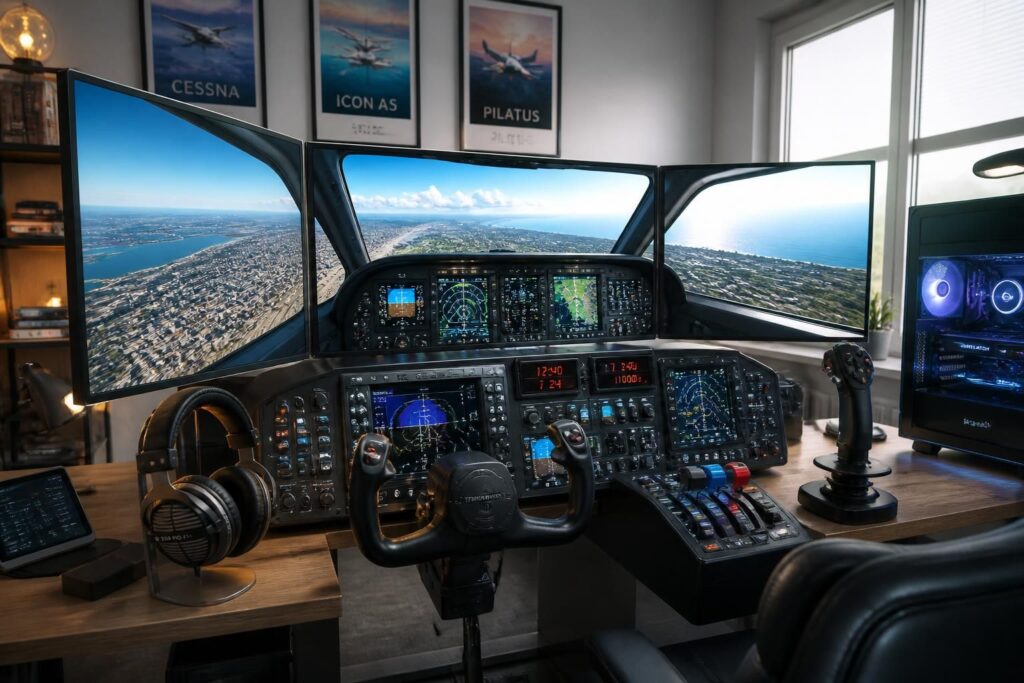
Microsoft Flight Simulator 2024 stands as a true technological feat, offering an immersive flight experience with breathtaking graphics. To grasp the full richness of this flight simulator, the PC setup plays an essential role. With its detailed modeled landscapes, realistic weather conditions, and ultra-precise cockpits, Flight Simulator 2024 demands rigorous optimization of hardware and settings. This requirement goes far beyond a simple video game session: it is a journey into the heart of flight simulation. Because in real life, the finesse of piloting often depends on the instruments; here, the stability of the frame rate and visual quality form the foundation of a rewarding and smooth experience. Both enthusiasts and professionals will thus be able to adjust their technical choices so that every takeoff, every turn in flight is synonymous with a perfect lift-off.
To benefit from this uncompromising visual quality and navigate without slowdowns, specific recommended hardware is indispensable. Beyond raw power, it also involves anticipating needs in memory, fast storage, and driver compatibility. Optimizing your PC for Flight Simulator 2024 is not limited to simply assembling components: it is a subtle harmony between the processor, the graphics card, the RAM, and of course, careful management of software settings. The ideal configuration will also facilitate maintenance, avoiding overheating and dust accumulation, often overlooked but very impactful on overall performance. This guide helps to precisely identify the recommended hardware and understand why each element is important for a successful flight experience.
Understanding the importance of a suitable PC configuration for Flight Simulator 2024
Flight Simulator 2024 stands out for its striking realism, combining real cartographic data, dynamic weather models, and complex cockpit details. This technical richness requires a PC configuration capable of supporting massive real-time data processing. Choosing hardware that balances graphical performance and computing power thus prevents the experience from degrading due to stutters or annoying slowdowns. In practice, this translates into a stable frame rate, essential for precise and enjoyable piloting. The fluidity is so critical that it could make the difference between a successful maneuver and a virtual error, especially in difficult weather conditions or during complex approaches.
Flight simulators are not ordinary games: they demand memory, CPU and GPU resources in complex synchronization. For example, dynamic sky management, with volumetric clouds and advanced atmospheric effects, intensely stresses the graphics card. The processor, in turn, coordinates physical simulation, trajectory calculations, and interaction with instruments. In short, system harmony is crucial, with each component needing to respond very quickly. This explains why a simple standard desktop computer usually is not enough to ensure an uncompromising experience on Flight Simulator 2024.
Key components for optimal graphical performance
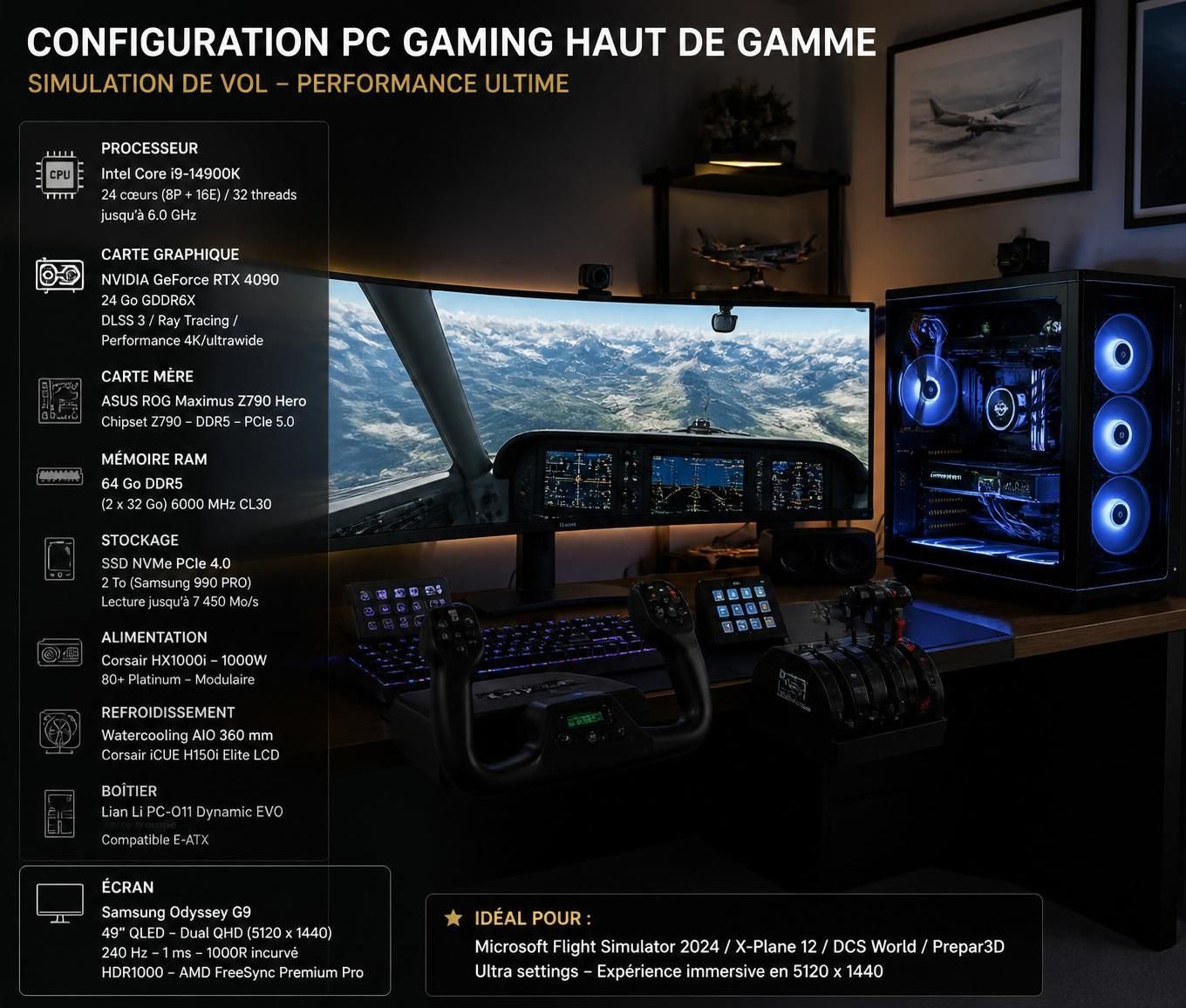
Among the indispensable elements for a successful flight experience, the processor is at the heart of the system. For Flight Simulator 2024, the most recommended models to date include the Intel Core i7-13700K or the AMD Ryzen 7 7800X3D. These processors ensure excellent single-core performance, essential for real-time calculations, while having enough cores to handle the complexity of simulated environments.
The graphics card is the one that gives landscapes their immersive beauty. References such as the NVIDIA RTX 4070 or the AMD Radeon RX 7800 XT offer a very good compromise to enjoy high visual quality without causing slowdowns. For demanding virtual pilots, the RTX 4080 Super or Radeon RX 7900 XTX models, with VRAM ranging from 16 to 24 GB, guarantee smoothness and impressive 4K display.
The crucial role of memory and storage
The RAM must be generous enough to absorb the mass of data loaded during flights, especially on long distances or with several active add-ons. The recommended minimum is 32 GB DDR4-3600 or DDR5-5200, with a preference for 64 GB for intensive sessions and high-end configurations.
As for storage, Flight Simulator 2024 can exceed 150 GB for the base software, not counting additional modules. A NVMe PCIe 4.0 SSD of at least 1 TB is strongly recommended to reduce loading times and avoid stutters.
| Component | Minimum configuration | Recommended configuration | Ideal configuration |
|---|---|---|---|
| Processor | Intel i7-6800K / Ryzen 5 2600X | Intel i7-10700K / Ryzen 7 2700X | Intel i7-14700K / Ryzen 7 7900X |
| Graphics card | GTX 970 / Radeon RX 5700 | RTX 2080 / Radeon RX 5700 | RTX 4080 / RX 7900 XT |
| RAM | 16 GB | 32 GB | 64 GB |
| VRAM | 4 GB | 8 GB | 12 GB |
| Storage | 50 GB | 50 GB | > 50 GB (1 TB recommended) |
How to maintain and optimize your Flight Simulator 2024 PC configuration
Owning a high-performing configuration is not always enough: hardware maintenance is just as important to guarantee the upkeep of graphical performance and session stability.
Dust is a sneaky enemy that creeps into the system, blocking airflow and increasing overheating, which can cause performance drops and even malfunctions. A common tip is to avoid using classic compressed air cans, which, besides being costly in the long run, can propel harmful particles or prove ineffective against embedded dust. A durable and economical solution is to adopt a dedicated blower, such as the AirBlade Pro JEKXON, guaranteeing powerful, eco-friendly, and lasting cleaning.
Moreover, software optimization allows you to fully leverage the hardware. It is essential to keep graphics drivers up to date, properly adjust graphic settings according to your configuration, and use performance analysis tools to detect potential bottlenecks. These operations can drastically improve fluidity, even on an already powerful machine.
Accessories for total immersion in Flight Simulator 2024
The PC configuration is the core, but peripherals complete the immersive experience. Joysticks and yokes like the Thrustmaster TCA Sidestick or Honeycomb Alpha Flight Controls provide unmatched tactile precision. For throttle control, the Thrustmaster TCA Quadrant or Honeycomb Bravo Throttle Quadrant are preferred, while the Thrustmaster TFRP or Logitech Pro Flight Rudder Pedals offer realistic maneuvering. On the display side, an ultrawide screen or multi-screen setup multiplies the sense of space and visual quality.
- Choose a powerful, high-frequency processor to ensure smooth and reliable calculations.
- Opt for a graphics card with high VRAM to display textures and atmospheric effects in detail.
- Plan for at least 32 GB of RAM, 64 GB for intensive or expert users.
- Install a fast, capacious NVMe SSD to limit loading times.
- Regularly clean the PC with a dedicated blower to avoid overheating.
- Keep drivers updated and adjust graphic settings according to your configuration.
- Invest in suitable peripherals for maximum immersion.
Compare configurations for Flight Simulator 2024 according to your needs
Flight Simulator 2024 being a demanding simulator, sometimes you have to work with a limited budget. Three tiers stand out:
- Entry-level configuration (€1200-1500): suitable for beginners, it offers an acceptable experience at medium settings, notably thanks to an i7 processor and a GTX 970 graphics card or equivalent.
- Mid-range configuration (€2000-2500): perfect for enthusiasts wanting improved graphics and enhanced smoothness at high settings.
- High-end configuration (€3000 and above): for demanding pilots, this configuration enables an ultimate 4K experience with all details maxed out.
What to know before purchasing
Before investing, consider testing your current PC with benchmarks to identify your weak points and the components prioritized for upgrades. The processor and RAM often have the greatest impact on the final quality of the experience, contrary to some misconceptions that focus solely on the graphics card.
Finally, remember that a stable and fast internet connection (at least 20 Mbps) is essential to fully enjoy real-time cartographic data streaming, one of the major strengths of Flight Simulator 2024.
Can Flight Simulator 2024 run on a laptop?
Yes, provided the laptop is equipped with a powerful processor (i7/Ryzen 7 minimum), a dedicated graphics card (RTX 3070 mobile or higher), and at least 32 GB of RAM. Thermal management must also be considered for long sessions.
Should I prioritize more cores or higher CPU frequency?
Flight Simulator mainly benefits from a high single-core frequency for real-time calculations, although multi-core use is increasingly optimized. A processor like the Ryzen 7 7800X3D offers an excellent balance.
How important is the graphics card for Flight Simulator 2024?
The graphics card is essential for displaying detailed landscapes, atmospheric effects, and aircraft textures. The larger the VRAM, the better the visual quality and smoothness.
How to optimize simulator settings?
It is advised to regularly update drivers, calibrate graphic settings according to your PC setup, and use analysis tools to adjust performance.
What internet connection is needed for Flight Simulator 2024?
A stable and fast connection, at least 20 Mbps, is recommended to enjoy real-time streaming of cartographic data, ensuring smooth and precise display.


